Gebt Euren Spielern ein Gesicht ANSI-Farben und Avatare über Intermud mit query ansi
Für MUD-Admins. Eine abwärtskompatible Erweiterung für Intermud‑2 (Zebedee-Protokoll). Stand: 3. Oktober 2026.
ANSI-Bilder aus Halbblöcken machen finger lebendig: im eigenen Mud, über Intermud, in der Topliste auf der Webseite und auf Heldenkarten zum Teilen. Mit der kleinen Intermud-Erweiterung query ansi kommen sie bei jedem Spieler richtig an, egal in welchem Mud und mit welchem Client.
Midgard und Beutelland haben das gemeinsam entwickelt und schon umgesetzt. Beide Muds beantworten seit Oktober 2026 query ansi und schicken bei finger die Farbstufe mit. Midgard liefert seine Avatare danach in der passenden Fassung. Andere Muds sind herzlich eingeladen, mitzumachen.
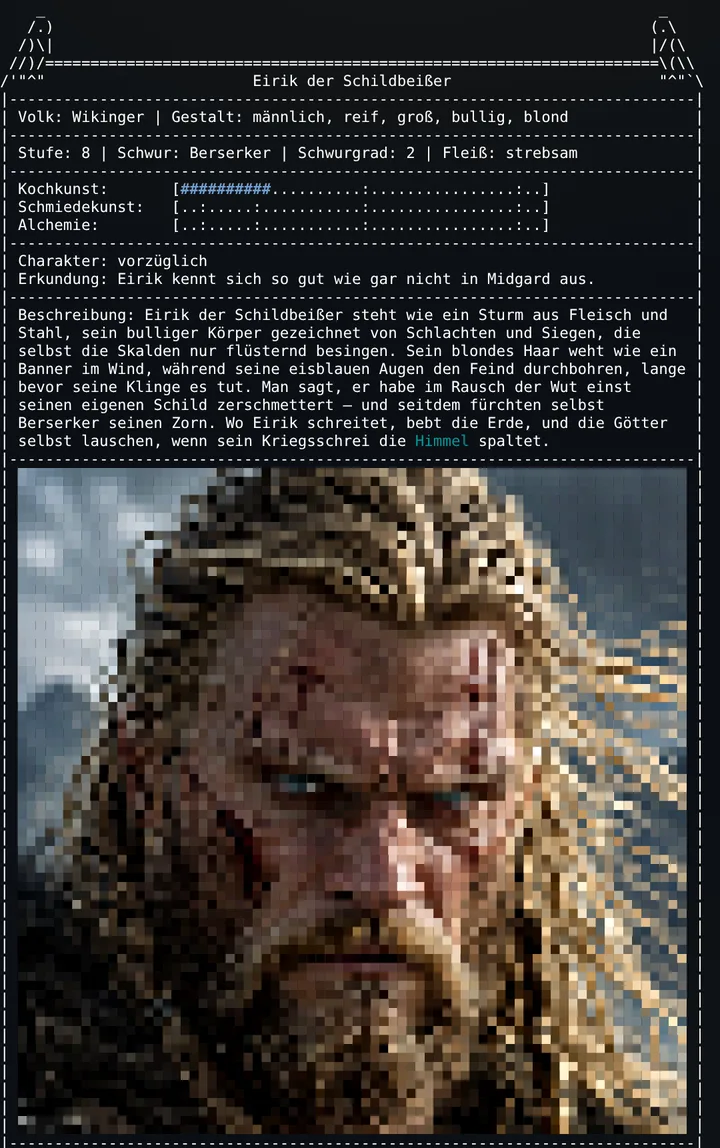
finger eirik im Midgard-Webclient. Das Porträt besteht nur aus Zeichen und Farbcodes.Was Ihr davon habt
- Ein Bild, viele Bühnen. Ein ANSI-Avatar erscheint bei
fingerim Spiel, über Intermud in anderen Muds, in der Topliste auf Eurer Webseite und als Vorschaubild, wenn Spieler ihren Helden bei Discord, WhatsApp & Co. teilen. So wirbt jede Figur für Euer Mud. - Spieler hängen an ihrer Figur. Ein eigenes Bild macht aus einem Namen einen Charakter. Das stärkt die Bindung und macht stolz.
- Bei jedem richtig. Mit
query ansiund dem Feldansibekommt jeder Spieler die Fassung, die sein Client kann: von 24-Bit-Farben bis zur Fassung nur aus Leerzeichen. Kein Blinken, kein Zeichensalat. - Wenig Aufwand, nichts geht kaputt. Eine Antwort mehr in
query, zwei optionale Felder beifinger. Wer nicht mitmacht, merkt nichts.
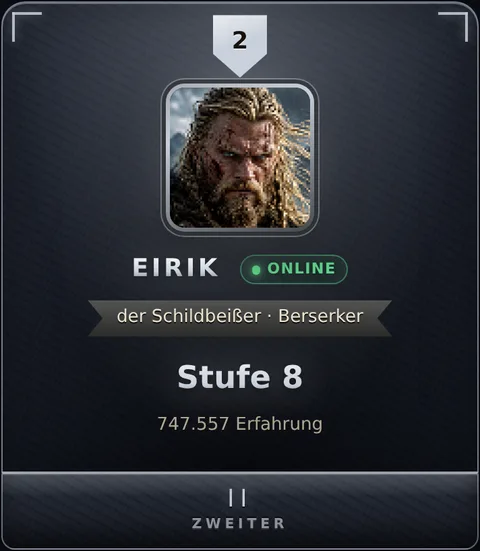
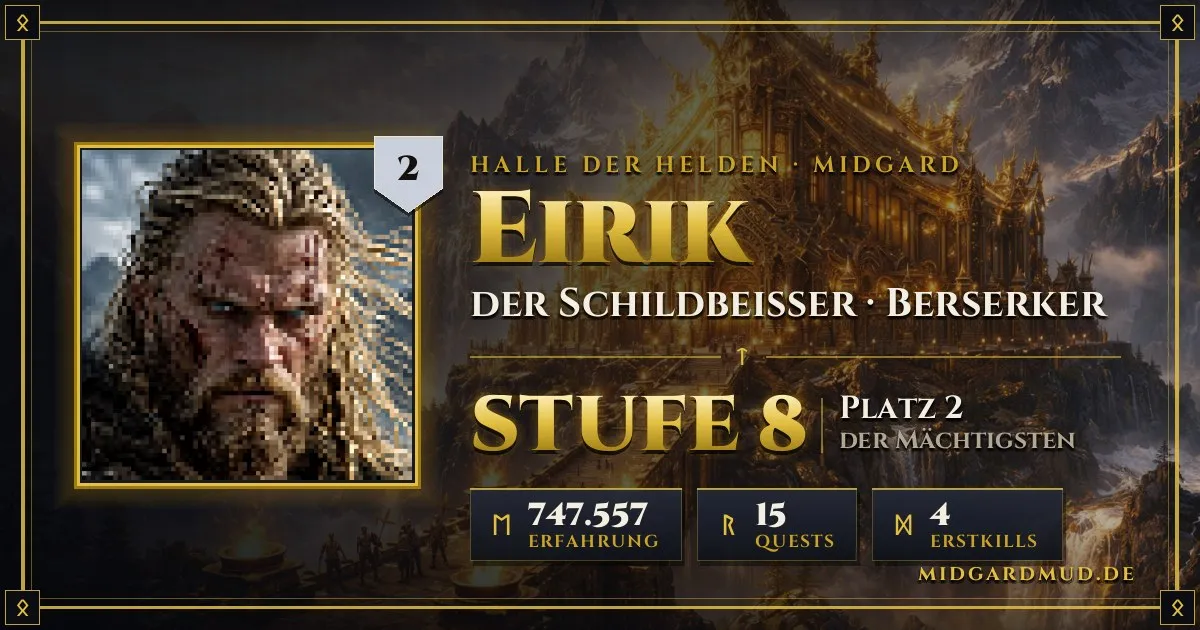
Ein Bild, viele Bühnen: dasselbe Avatar-Bild auf Midgards Webseite
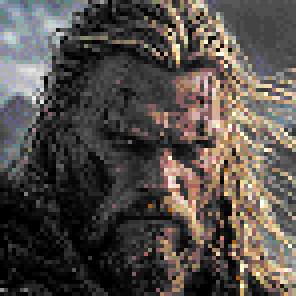
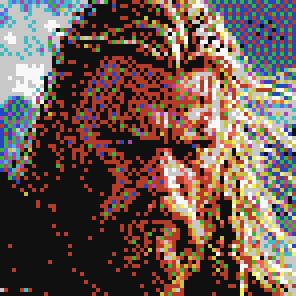
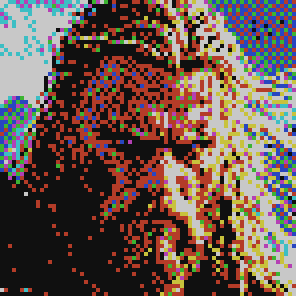
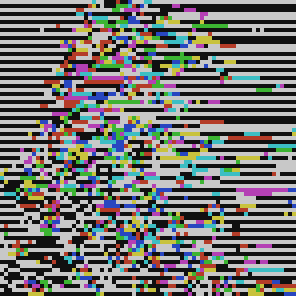
Ein Bild, die passende Fassung: was Midgard je nach Angabe schickt


38;2;r;g;b nicht kennt.In drei Schritten: Was Euer Mud tun sollte
- Auf
query ansiantworten:no,2,8,16,256odertruecolor. Also das, was Euer Mud bei finger-Antworten an Farben grundsätzlich bis zum Spieler durchlässt. - Bei finger-Anfragen an andere Muds die Felder
ansiundcharsetdes fragenden Spielers mitschicken, wenn Ihr sie kennt (optional, aber am besten). - Farbcodes in finger-Antworten durchreichen, aber nur Farbcodes. Alle anderen Steuersequenzen entfernen.
Das sind wenige Zeilen Code. Wer nicht mitmacht, merkt nichts: Unbekannte Felder werden ignoriert, und ohne Antwort gibt es keine Farben.
1. Worum es geht
Intermud-Antworten, etwa auf finger, können ANSI-Farbcodes enthalten. In Midgard zeigt finger zum Beispiel ein Bild der Figur: einen Avatar aus Halbblock-Zeichen (▀), jedes Zeichen mit eigener Vorder- und Hintergrundfarbe in 24 Bit.
Das sendende Mud weiß aber nichts über den Spieler am anderen Ende. Es weiß nicht, ob sein Client 24-Bit-Farben kann, nur 256 oder 16 Farben, ob er UTF-8 versteht und ob das empfangende Mud Farbcodes überhaupt durchlässt. Ohne diese Angaben geht viel schief. Das haben wir zwischen mehreren Muds beobachtet:
- Blinkender Text: Ein Filter, der
38;2;r;g;bnicht kennt, liest die Zahlen einzeln. Aus38;2;5;0;255wird dann unter anderem5, also Blinken. - Weiße oder graue Flächen: Unbekannte Codes werden durch die Standardfarbe ersetzt.
- Fragezeichen statt Bild: Ohne UTF-8 wird
▀zu?. - Farben, die der Client nicht darstellen kann: Das kommt auch heute noch vor, etwa bei tintin++ innerhalb von GNU screen.
Nur das empfangende Mud kennt seine Spieler und deren Clients. Deshalb muss die Information von dort kommen.
2. Nutzen im Einzelnen
- Inhalte anderer Muds sehen richtig aus. Avatare, farbige Rahmen und Wappen erscheinen im Client Eurer Spieler so, wie sie gedacht sind, statt als Zeichensalat oder Geblinke.
- Jeder bekommt, was sein Client kann. Wer einen modernen Client oder Webclient hat, sieht volle Farben. Wer einen alten Telnet-Client hat, bekommt eine saubere 16-Farben-Fassung. Wer kein UTF-8 hat, bekommt eine Fassung nur aus Leerzeichen mit Hintergrundfarben, die in jedem Zeichensatz funktioniert.
- Kein Risiko für Spieler ohne Farben. Wer
nomeldet oder gar nicht antwortet, bekommt nichts Farbiges. - Intermud wird persönlicher. Ein
fingerzeigt ein Gesicht statt nur Text. Spieler sehen die Figuren aus anderen Welten, und das macht neugierig auf das andere Mud. - Euer Mud kann selbst Bilder einführen. Die Avatare in Midgard sind gewöhnliches ANSI. Wer bei sich Ähnliches baut, kann es gleich mehrfach nutzen: bei
fingerundwho, über Intermud, auf der Webseite (das Bild lässt sich serverseitig aus den Farbcodes als PNG zeichnen) und als Vorschaubild beim Teilen. - Wenig Aufwand. Eine Antwort mehr in
query, zwei optionale Felder beifinger. Keine neuen Dienste, keine Abhängigkeit von einem bestimmten Mud, voll abwärtskompatibel.
3. Die Erweiterung
Sie hat zwei Stufen. Die erste gilt für das ganze Mud, die zweite für den einzelnen Spieler. Gebaut ist sie wie die Abfrage query encoding.
3.1 Mud-weit: query ansi
Ein Mud fragt ein anderes mit REQ:query und DATA:ansi. Die Antwort (REQ:reply, QUERY:ansi) nennt in DATA, was dieses Mud an Farben grundsätzlich bis zu seinen Spielern durchlässt. Ohne Antwort gilt no.
Wer mitmacht, nimmt ansi auch in die Antwort auf query list auf.
3.2 Pro Spieler: Felder ansi und charset bei finger
Eine finger-Anfrage darf zwei zusätzliche Felder tragen. Sie beschreiben, was der fragende Spieler sehen kann:
ansi: Farbstufe, Werte wie beiquery ansi.charset:utf-8oderascii.
Die Feldnamen sind klein geschrieben, wie es bei Intermud für nicht standardisierte Felder üblich ist (vgl. die udpm_-Felder der Intermud-Mail). Großgeschriebene Felder bleiben dem Standard vorbehalten.
3.3 Werte
Jede Stufe schließt die darunter ein. Wer 256 meldet, kann also auch 16, 8 und 2. Blinken (5) gehört bewusst zu keiner Stufe. Die Stufe 2 hat Invisible@Beutelland vorgeschlagen, für Clients ohne Farben, die aber Hervorhebungen können.
| Wert | Bedeutung | Erlaubte Codes |
|---|---|---|
no | keine Farben, keine Codes | keine |
2 | schwarzweiß: keine Farben, nur Hervorhebungen | 1 (hell/fett), 4 (unterstrichen), 7 (invers), zurücksetzen mit 0, 22, 24, 27 |
8 | die acht Grundfarben | zusätzlich 30–37, 40–47 |
16 | dazu die hellen Farben | zusätzlich 90–97, 100–107 |
256 | 256er-Palette | zusätzlich 38;5;n, 48;5;n |
truecolor | 24 Bit | zusätzlich 38;2;r;g;b, 48;2;r;g;b |
Wer Inhalte schickt, sollte für helle Farben 90–97/100–107 nehmen und nicht 1 (fett). Fett wird je nach Terminal heller, nur fett oder gar nicht dargestellt, und für den Hintergrund gibt es kein Gegenstück. Bei Bildern aus Halbblöcken trägt aber gerade der Hintergrund die untere Hälfte jedes Bildpunkts.
Die Werte sind Strings, auch 8, 16 und 256. Nach den Regeln des Intermud-Protokolls bekommen Werte, die nur aus Ziffern bestehen, ein $ davor, sonst werden sie beim Empfänger zur Zahl (encode() im üblichen inetd macht das selbst). Empfänger sollten trotzdem Zahl und String annehmen.
3.4 Rangfolge beim Empfänger der Anfrage
Das Mud, das farbige Inhalte schickt, entscheidet so:
- Felder
ansi/charsetin der Anfrage, wenn vorhanden. - Sonst die Antwort des fragenden Muds auf
query ansi. - Sonst
no: nichts Farbiges.
Ohne UTF-8, also bei charset ascii oder wenn das fragende Mud auf query encoding kein UTF-8 meldet, nur Zeichen, die in jedem Zeichensatz gehen, zum Beispiel Leerzeichen mit Hintergrundfarbe.
Übergang bei Midgard: Solange die Erweiterung neu ist, bekommen Muds, die query ansi noch nicht beantworten, aber auf query encoding UTF-8 melden, von Midgard vorerst eine 16-Farben-Fassung. Einige bekannte Muds bekommen eine passende Stufe aus einer Übergangsliste. Muds ohne UTF-8 und ohne jede Angabe bekommen nichts. Wenn genug Muds antworten, gilt auch bei uns streng Punkt 3.
3.5 Pakete
Beispiele im gewohnten Format (Felder mit | getrennt, Reihenfolge beliebig, gekürzt):
# Midgard fragt Beutelland, was es an Farben durchlässt
REQ:query|NAME:Midgard|UDP:4246|ID:5|DATA:ansi

# Beutelland antwortet: 256 Farben (Ziffern mit $ davor)
REQ:reply|NAME:Beutelland|UDP:4246|ID:5|QUERY:ansi|DATA:$256

# Ein Spieler in Beutelland fingert eirik@Midgard,
# sein Client kann 256 Farben und UTF-8
REQ:finger|NAME:Beutelland|UDP:4246|ID:17|SND:invisible|ansi:$256|charset:utf-8|DATA:eirik
4. Umsetzung Schritt für Schritt
Die Beispiele passen zum verbreiteten inetd aus der MorgenGrauen-Mudlib (/secure/inetd.c, /secure/udp/*.c). In anderen Mudlibs sieht es ähnlich aus.
4.1 query ansi beantworten (jedes Mud)
In /secure/udp/query.c einen Fall ergänzen und ansi in die Liste aufnehmen:
case "ansi":
    /* Was wir bei finger-Antworten an Farben bis zum Spieler
     * durchlassen: "no", "2", "8", "16", "256" oder "truecolor" */
    ret = ([ DATA: "256" ]);
    break;

case "list":
    ret = ([ DATA: "ansi:commands:email:encoding:hosts:inetd:mud_port:time:version" ]);
    break;
Was antworten? Das, was bei Euren Spielern sicher ankommt, wenn Ihr nichts über den einzelnen Spieler wisst. Filtert Euer Mud Farbcodes in Intermud-Antworten weg, dann no (oder die Stufe, die den Filter übersteht). Reicht Ihr alles durch und haben die meisten Eurer Spieler moderne Clients, ist 256 eine gute Wahl. truecolor nur, wenn Ihr sicher seid, dass praktisch alle Clients 24 Bit können, zum Beispiel bei einem eigenen Webclient.
4.2 Felder bei finger mitschicken (Muds, deren Spieler andere fingern)
Dort, wo der finger-Befehl die Anfrage an ein anderes Mud schickt, die beiden Felder ergänzen:
INETD->_send_udp(mud, ([
    REQUEST: "finger",
    SENDER:  getuid(this_player()),
    DATA:    wer,
    "ansi":    farbstufe_von(this_player()),    // z. B. "256"
    "charset": utf8 ? "utf-8" : "ascii"
]), 1);
Woher die Farbstufe kommt, je nachdem, was Euer Mud weiß:
- MTTS (dritte Antwort auf TTYPE, „MTTS <Zahl>“): Bit
256heißt truecolor, Bit8heißt 256 Farben, Bit1heißt ANSI (16 Farben). - Terminaltyp (TTYPE bzw.
TERMINAL_TYPE): enthält er256color, sind es mindestens 256 Farben. - Eigener Webclient (z. B. erkannt über GMCP
Core.Hello): meist truecolor. - Einstellung des Spielers, falls Ihr eine habt. Die hat dann Vorrang.
Wisst Ihr es nicht, lasst das Feld einfach weg. Dann gilt Eure Antwort auf query ansi.
4.3 Farbcodes durchreichen (Darstellung)
- finger-Antworten mit Farbcodes an den Spieler durchreichen und dabei nur Farbcodes durchlassen (siehe Sicherheit).
- Spalten und Rahmen: Beim Zählen der Breite die Farbcodes nicht mitzählen. Ein
▀ist eine Spalte breit. - Bei
tellund Kanälen ändert sich nichts. Dort sollten Steuerzeichen weiter gefiltert werden.
Zum Testen: Mit unserem kostenlosen ANSI Art Converter macht Ihr aus einem beliebigen Bild ANSI-Art aus Halbblöcken, wahlweise in True-Color, 256 oder 16 Farben. Er läuft komplett im Browser, ohne Upload. Das Ergebnis lässt sich als .ans speichern, als ANSI in die Zwischenablage kopieren oder gleich als LPC-Code. So bringt Ihr schnell ein Testbild in Euer Mud und seht, ob Mud und Client die Farbcodes richtig durchreichen.
4.4 Farbiges schicken (Muds mit eigenen Bildern oder Farbinhalten)
- Die Antwort auf
query ansije Mud merken, etwa als zusätzliches Feld in der Hostliste. Abfragen beim Start und wenn ein Mud neu auftaucht. - Bei jeder finger-Anfrage nach der Rangfolge die passende Fassung wählen.
- Für Spieler und Muds ohne UTF-8 eine Fassung ohne Sonderzeichen anbieten oder das Bild weglassen.
5. Sicherheit und Fallen
- Nur Farbcodes durchlassen. Erlaubt sind nur SGR-Sequenzen:
ESC [, dann Ziffern,;und:, dannm. Alle anderen Escape-Sequenzen entfernt Ihr vollständig: andere CSI-Befehle wie Cursor bewegen oder Bildschirm löschen, OSC (ESC ]… bis BEL oderESC \, etwa Fenstertitel oder Links) und alles andere nachESC. Dazu Steuerzeichen außer Zeilenumbruch und Tab. Sonst kann ein fremdes Mud den Bildschirm Eurer Spieler verändern oder mit Statusabfragen (etwaESC [ 6 n) dafür sorgen, dass das Terminal selbst Text an Euer Mud schickt. Midgard filtert alle Intermud-Antworten genau so, bevor ein Spieler sie sieht. - Menge begrenzen. Intermud antwortet an die Absenderadresse eines UDP-Pakets, und die lässt sich fälschen. Wer große Antworten verschickt (ein Avatar sind bis zu rund 90 Pakete), sollte die Zahl pro Minute begrenzen. Sonst wird
fingerzum Verstärker für Angriffe auf fremde Rechner. Midgard schickt höchstens 6 Avatare pro Minute an andere Muds. - Ziffern als String.
16ohne$kommt als Zahl an. Beim Lesen beides annehmen. - Antwort bleibt aus. Ein Mud, das
query ansinicht kennt, antwortet nicht. Das darf nicht dazu führen, dass es als „down“ gilt.
6. Abwärtskompatibilität
- Der übliche inetd übernimmt unbekannte Felder wie
ansi/charsetin die Daten und ignoriert sie. Es geht nichts kaputt. - Wer
query ansinicht beantwortet, bekommt keine Farbinhalte. Das ist der sichere Normalfall. - Es gibt kein neues Paketformat und keinen neuen Dienst, nur einen zusätzlichen Wert für das bekannte
query.
7. Wer schon mitmacht
Die Erweiterung ist eine Gemeinschaftsarbeit von Midgard und Beutelland. Die Idee zu query ansi und zur Angabe pro Spieler kam von Invisible@Beutelland. Midgard hat sie zu den Feldern ansi/charset ausgearbeitet und die Bildfassungen gebaut. Beide Muds haben sie im Oktober 2026 umgesetzt und im Zusammenspiel getestet:
| Mud | Antwort auf query ansi | Schickt bei finger mit | Liefert Farbinhalte |
|---|---|---|---|
| Midgard | truecolor | ansi und charset | ja: Avatare in truecolor, 256, 16, 8 und als Leerzeichen-Fassung |
| Beutelland | 256 | ansi (zurzeit für alle 256) | – |
Jedes weitere Mud ist willkommen. Sagt kurz Bescheid, dann nehmen wir Euch in diese Liste auf.
8. Beispiel: Avatare in Midgard
In Midgard erstellen Spieler ab Stufe 5 ein Bild ihrer Figur. Sie tun das selbst, mit einem Werkzeug im Webclient: Bild hochladen, zuschneiden, Helligkeit und Kontrast anpassen, speichern oder löschen. Daraus wird ein ANSI-Bild aus Halbblöcken (74 × 37 Zeichen). Die Umrechnung stammt aus unserem ANSI Art Converter, den jeder frei nutzen kann. Das Bild erscheint:
- bei
fingerim Spiel und über Intermud, - in der Topliste auf der Webseite (serverseitig aus den Farbcodes als Bild gezeichnet),
- auf der Heldenkarte, die als Vorschau erscheint, wenn jemand den Link zu seinem Helden teilt.
Über Intermud schickt Midgard je nach Angaben die passende Fassung (Bilder oben):
- truecolor: das Original.
- 256 und 16 Farben: umgerechnet mit Fehlerstreuung, damit Verläufe weich bleiben.
- 8 Farben: nur die Grundfarben.
- Ohne UTF-8: Leerzeichen mit Hintergrundfarbe, in halber Auflösung. Das ist reines ASCII und kommt überall an.
Bei no und 2 schickt Midgard kein Bild. Die Leerzeichen-Fassung bekommt, wer kein UTF-8 hat: einzelne Spieler mit charset ascii und ganze Muds, die auf query encoding kein UTF-8 melden. Muds ohne UTF-8 bekommen sie, sobald sie Farben melden. Ohne jede Angabe schickt Midgard ihnen kein Bild.
9. Häufige Fragen
- Was ist
query ansi? - Eine kleine Erweiterung für Intermud-2: Ein Mud fragt ein anderes mit
REQ:queryundDATA:ansi, welche ANSI-Farben es bis zu seinen Spielern durchlässt. Die Antwort istno,2,8,16,256odertruecolor. Ohne Antwort giltno. - Wie zeigt man ANSI-Bilder und Avatare bei Intermud-
fingerrichtig an? - Das fragende Mud beantwortet
query ansiund schickt beifingerdie Felderansiundcharsetdes Spielers mit. Das antwortende Mud wählt danach die passende Fassung. Beim Empfang werden nur Farbcodes (SGR) durchgelassen, alle anderen Escape-Sequenzen entfernt. - Braucht man dafür eine bestimmte Mudlib?
- Nein. Die Beispiele passen zum verbreiteten inetd aus der MorgenGrauen-Mudlib, das Prinzip gilt für jeden Intermud-2-inetd (Zebedee-Protokoll).
- Was passiert mit Muds, die die Erweiterung nicht kennen?
- Nichts. Unbekannte Felder werden ignoriert, und wer
query ansinicht beantwortet, bekommt keine Farbinhalte. - Wer nutzt
query ansischon? - Midgard und Beutelland, die die Erweiterung gemeinsam entwickelt und im Oktober 2026 umgesetzt haben. Weitere Muds sind eingeladen.
10. Fragen und Kontakt
Fragen, Ideen und Rückmeldungen gern auf -d-code oder -intercode, per Intermud-tell an Odin@Midgard oder an Invisible@Beutelland. Midgard: midgardmud.de, Telnet midgardmud.de 4711.
Give your players a face ANSI colours and avatars over Intermud with query ansi
For MUD admins. A backwards compatible extension to Intermud‑2 (Zebedee protocol). As of 3 October 2026.
ANSI pictures made of half blocks bring finger to life: in your own MUD, over Intermud, in the hall of fame on your website and on hero cards to share. With the small Intermud extension query ansi, they reach every player correctly, whatever the MUD and whatever the client.
Midgard and Beutelland designed this together and have already implemented it. Since October 2026, both MUDs answer query ansi and send the colour level with every finger. Midgard then serves its avatars in the matching version. Other MUDs are warmly invited to join.
finger eirik in the Midgard web client. The portrait is nothing but characters and colour codes.What's in it for you
- One picture, many stages. An ANSI avatar appears with
fingerin the game, over Intermud in other MUDs, in the hall of fame on your website and as the preview image when players share their hero on Discord, WhatsApp and the like. Every character becomes an advertisement for your MUD. - Players bond with their character. A picture of their own turns a name into a character. That builds attachment and pride.
- Right for everyone. With
query ansiand theansifield, every player gets the version their client can handle: from 24-bit colour down to a version made only of spaces. No blinking, no garbage. - Little effort, nothing breaks. One more answer in
query, two optional fields infinger. MUDs that don't take part notice nothing.
One picture, many stages: the same avatar on Midgard's website
One picture, the right version: what Midgard sends depending on the information
38;2;r;g;b makes of it.In three steps: what your MUD should do
- Answer
query ansiwithno,2,8,16,256ortruecolor: the colours your MUD generally passes through to players in finger replies. - When fingering other MUDs, send the requesting player's
ansiandcharsetfields if you know them (optional, but best). - Pass colour codes in finger replies through to the player, but only colour codes. Strip every other control sequence.
It takes only a few lines of code. MUDs that don't take part notice nothing: unknown fields are ignored, and no answer means no colours.
1. The problem
Intermud replies, for example to finger, may contain ANSI colour codes. In Midgard, finger shows a picture of the character: an avatar made of half-block characters (▀), each with its own 24-bit foreground and background colour.
The sending MUD knows nothing about the player at the other end. It doesn't know whether their client handles 24-bit colour, only 256 or 16 colours, whether it understands UTF-8, or whether the receiving MUD passes colour codes through at all. Without that information a lot goes wrong. We have seen all of the following between several MUDs:
- Blinking text: a filter that doesn't know
38;2;r;g;breads the numbers one by one, so38;2;5;0;255turns into, among other things,5: blink. - White or grey areas: unknown codes are replaced by the default colour.
- Question marks instead of a picture: without UTF-8,
▀becomes?. - Colours the client can't display: this still happens today, for example with tintin++ inside GNU screen.
Only the receiving MUD knows its players and their clients, so that is where the information has to come from.
2. Benefits in detail
- Content from other MUDs looks right. Avatars, coloured frames and coats of arms appear in your players' clients as intended, not as garbage or blinking text.
- Everyone gets what their client can do. Players with a modern client or web client see full colour. Players with an old telnet client get a clean 16-colour version. Players without UTF-8 get a version made only of spaces with background colours, which works with any character set.
- No risk for players without colour. Answer
no, or don't answer at all, and nothing colourful is sent. - Intermud becomes more personal. A
fingershows a face, not just text. Players see characters from other worlds, which makes them curious about the other MUD. - Your MUD can introduce pictures itself. Midgard's avatars are plain ANSI. If you build something similar, you can use it many times over: with
fingerandwho, over Intermud, on your website (the picture can be drawn as a PNG from the colour codes on the server) and as a preview image when sharing. - Little effort. One more answer in
query, two optional fields infinger. No new services, no dependency on any particular MUD, fully backwards compatible.
3. The extension
It has two levels: one for the whole MUD and one for the individual player. It is modelled on query encoding.
3.1 MUD-wide: query ansi
A MUD asks another with REQ:query and DATA:ansi. The reply (REQ:reply, QUERY:ansi) states in DATA which colours this MUD generally passes through to its players. No reply means no.
Participating MUDs also add ansi to their reply to query list.
3.2 Per player: ansi and charset fields in finger
A finger request may carry two extra fields describing what the requesting player can see:
ansi: colour level, same values as forquery ansi.charset:utf-8orascii.
The field names are lower case, as is customary in Intermud for non-standard fields (compare the udpm_ fields of Intermud mail). Upper-case fields are reserved for the standard.
3.3 Values
Each level includes the ones below it, so a client reporting 256 also handles 16, 8 and 2. Blinking (5) deliberately belongs to no level. Level 2 was suggested by Invisible@Beutelland, for clients without colours that can still do highlighting.
| Value | Meaning | Allowed codes |
|---|---|---|
no | no colours, no codes | none |
2 | monochrome: no colours, only highlighting | 1 (bright/bold), 4 (underline), 7 (inverse), reset with 0, 22, 24, 27 |
8 | the eight basic colours | also 30–37, 40–47 |
16 | plus the bright colours | also 90–97, 100–107 |
256 | 256-colour palette | also 38;5;n, 48;5;n |
truecolor | 24 bit | also 38;2;r;g;b, 48;2;r;g;b |
Senders should use 90–97/100–107 for bright colours rather than 1 (bold). Depending on the terminal, bold is shown brighter, only bold, or not at all, and there is no equivalent for the background. In half-block pictures it is precisely the background that carries the lower half of every pixel.
Values are strings, including 8, 16 and 256. Under the Intermud protocol rules, values consisting only of digits get a $ prefix, otherwise they arrive as numbers (encode() in the common inetd does this for you). Receivers should still accept both numbers and strings.
3.4 Precedence at the receiving end of a request
The MUD that sends colourful content decides like this:
- The
ansi/charsetfields in the request, if present. - Otherwise, the requesting MUD's answer to
query ansi. - Otherwise
no: nothing colourful.
Without UTF-8, i.e. with charset ascii or when the requesting MUD doesn't report UTF-8 for query encoding, use only characters that work in any character set, for example spaces with a background colour.
Transition at Midgard: while the extension is new, MUDs that don't answer query ansi yet but report UTF-8 for query encoding get a 16-colour version from Midgard for the time being. A few known MUDs get a suitable level from a transition list. MUDs without UTF-8 and without any information get nothing. Once enough MUDs answer, we will apply point 3 strictly as well.
3.5 Packets
Examples in the usual format (fields separated by |, any order, shortened):
# Midgard asks Beutelland which colours it passes through
REQ:query|NAME:Midgard|UDP:4246|ID:5|DATA:ansi

# Beutelland replies: 256 colours (digits with a $ prefix)
REQ:reply|NAME:Beutelland|UDP:4246|ID:5|QUERY:ansi|DATA:$256

# A player in Beutelland fingers eirik@Midgard;
# their client handles 256 colours and UTF-8
REQ:finger|NAME:Beutelland|UDP:4246|ID:17|SND:invisible|ansi:$256|charset:utf-8|DATA:eirik
4. Step-by-step implementation
The examples fit the common inetd from the MorgenGrauen mudlib (/secure/inetd.c, /secure/udp/*.c). Other mudlibs look similar.
4.1 Answer query ansi (every MUD)
Add a case to /secure/udp/query.c and include ansi in the list:
case "ansi":
    /* Colours we pass through to the player in finger replies:
     * "no", "2", "8", "16", "256" or "truecolor" */
    ret = ([ DATA: "256" ]);
    break;

case "list":
    ret = ([ DATA: "ansi:commands:email:encoding:hosts:inetd:mud_port:time:version" ]);
    break;
What should you answer? Whatever reliably reaches your players when you know nothing about the individual player. If your MUD strips colour codes from Intermud replies, answer no (or the level that survives your filter). If you pass everything through and most of your players use modern clients, 256 is a good choice. Only answer truecolor if you are sure that practically all clients handle 24 bit, for example with your own web client.
4.2 Send the fields with finger (MUDs whose players finger others)
Where your finger command sends the request to another MUD, add the two fields:
INETD->_send_udp(mud, ([
    REQUEST: "finger",
    SENDER:  getuid(this_player()),
    DATA:    who,
    "ansi":    colour_level_of(this_player()),  // e.g. "256"
    "charset": utf8 ? "utf-8" : "ascii"
]), 1);
Where the colour level comes from depends on what your MUD knows:
- MTTS (third reply to TTYPE, “MTTS <number>”): bit
256means truecolor, bit8means 256 colours, bit1means ANSI (16 colours). - Terminal type (TTYPE or
TERMINAL_TYPE): if it contains256color, at least 256 colours. - Your own web client (detected via GMCP
Core.Hello, for example): usually truecolor. - A player setting, if you have one. It then takes precedence.
If you don't know, simply leave the field out. Your answer to query ansi then applies.
4.3 Pass colour codes through (display)
- Pass finger replies with colour codes through to the player, letting only colour codes through (see security).
- Columns and frames: don't count colour codes when measuring width. A
▀is one column wide. - Nothing changes for
telland channels. Control characters should still be filtered there.
For testing: with our free ANSI Art Converter you can turn any picture into half-block ANSI art in true colour, 256 or 16 colours. It runs entirely in the browser, without uploading anything. You can save the result as an .ans file, copy it to the clipboard as ANSI or straight away as LPC code. That gets a test picture into your MUD quickly, so you can see whether your MUD and client pass the colour codes through correctly.
4.4 Send colourful content (MUDs with their own pictures or colour content)
- Remember each MUD's answer to
query ansi, for example as an extra field in the host list. Ask at startup and whenever a new MUD appears. - For each finger request, choose the matching version following the precedence.
- For players and MUDs without UTF-8, offer a version without special characters or leave the picture out.
5. Security and pitfalls
- Let only colour codes through. Allow only SGR sequences:
ESC [, then digits,;and:, thenm. Remove every other escape sequence completely: other CSI commands such as cursor movement or clearing the screen, OSC (ESC ]… up to BEL orESC \, e.g. window titles or links) and anything else afterESC. Also remove control characters except newline and tab. Otherwise a foreign MUD can change your players' screens, or use status queries (such asESC [ 6 n) to make the terminal itself send text to your MUD. Midgard filters every Intermud reply exactly like this before a player sees it. - Limit the volume. Intermud replies go to the source address of a UDP packet, and that can be forged. If you send large replies (an avatar is up to about 90 packets), limit how many you send per minute. Otherwise
fingerbecomes an amplifier for attacks on other hosts. Midgard sends at most 6 avatars per minute to other MUDs. - Digits as strings.
16without$arrives as a number. Accept both when reading. - No reply. A MUD that doesn't know
query ansiwon't answer. That must not cause it to be marked as down.
6. Backwards compatibility
- The common inetd takes unknown fields such as
ansi/charsetinto the data and ignores them. Nothing breaks. - MUDs that don't answer
query ansireceive no colour content. That is the safe default. - There is no new packet format and no new service, just one more value for the familiar
query.
7. Who already supports it
The extension is a joint effort of Midgard and Beutelland. The idea of query ansi and of per-player information came from Invisible@Beutelland. Midgard worked it out into the ansi/charset fields and built the picture versions. Both MUDs implemented it in October 2026 and tested it together:
| MUD | Answer to query ansi | Sends with finger | Serves colour content |
|---|---|---|---|
| Midgard | truecolor | ansi and charset | yes: avatars in truecolor, 256, 16, 8 and as a spaces-only version |
| Beutelland | 256 | ansi (currently 256 for everyone) | – |
Every other MUD is welcome. Drop us a line and we'll add you to this list.
8. Example: avatars in Midgard
In Midgard, players from level 5 on create a picture of their character. They do it themselves, with a tool in the web client: upload a picture, crop it, adjust brightness and contrast, save or delete it. The result is an ANSI picture made of half blocks (74 × 37 characters). The conversion comes from our ANSI Art Converter, which anyone can use for free. The picture appears:
- with
fingerin the game and over Intermud, - in the hall of fame on the website (drawn as an image from the colour codes on the server),
- on the hero card that appears as a preview when someone shares the link to their hero.
Over Intermud, Midgard sends the version that matches the information it has (pictures above):
- truecolor: the original.
- 256 and 16 colours: converted with error diffusion so that gradients stay smooth.
- 8 colours: only the basic colours.
- Without UTF-8: spaces with background colours, at half resolution. That is pure ASCII and gets through everywhere.
With no and 2, Midgard sends no picture. Everyone without UTF-8 gets the spaces-only version: individual players with charset ascii and whole MUDs that don't report UTF-8 for query encoding. MUDs without UTF-8 get it as soon as they report colours. Without any information, Midgard sends them no picture.
9. Frequently asked questions
- What is
query ansi? - A small extension to Intermud-2: a MUD asks another with
REQ:queryandDATA:ansiwhich ANSI colours it passes through to its players. The answer isno,2,8,16,256ortruecolor. No answer meansno. - How do you display ANSI pictures and avatars correctly with Intermud
finger? - The requesting MUD answers
query ansiand sends the player'sansiandcharsetfields withfinger. The replying MUD then picks the matching version. On receipt, only colour codes (SGR) are passed through and every other escape sequence is removed. - Do you need a particular mudlib?
- No. The examples fit the common inetd from the MorgenGrauen mudlib, and the principle applies to any Intermud-2 inetd (Zebedee protocol).
- What happens with MUDs that don't know the extension?
- Nothing. Unknown fields are ignored, and MUDs that don't answer
query ansireceive no colour content. - Who already uses
query ansi? - Midgard and Beutelland, who designed the extension together and implemented it in October 2026. Other MUDs are invited to join.
10. Questions and contact
Questions, ideas and feedback are welcome on -d-code or -intercode, by Intermud tell to Odin@Midgard or to Invisible@Beutelland. Midgard: midgardmud.de, telnet midgardmud.de 4711.